UnoCSS vs No-Code Landing Page: 6 Hours or 2 Minutes?
An UnoCSS landing page takes 6–9 hours to build; no-code takes about 2 minutes. Compare workflows, costs, features, and choose the right approach.
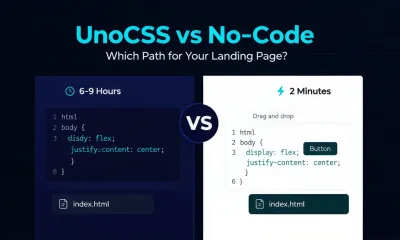
You've got a product to launch. A SaaS tool. An open-source project. Maybe a developer conference. You need a landing page—fast, clean, and conversion-ready.
If you're a developer, two paths seem obvious: hand-code it with UnoCSS, the lightning-fast atomic CSS engine, or use a no-code landing page builder that handles the page-building workflow for you. Both paths produce a landing page, but the journey—and the result—couldn't be more different.
This guide compares both approaches with practical workflows, estimated build times, and a clear recommendation based on what you're actually trying to achieve.
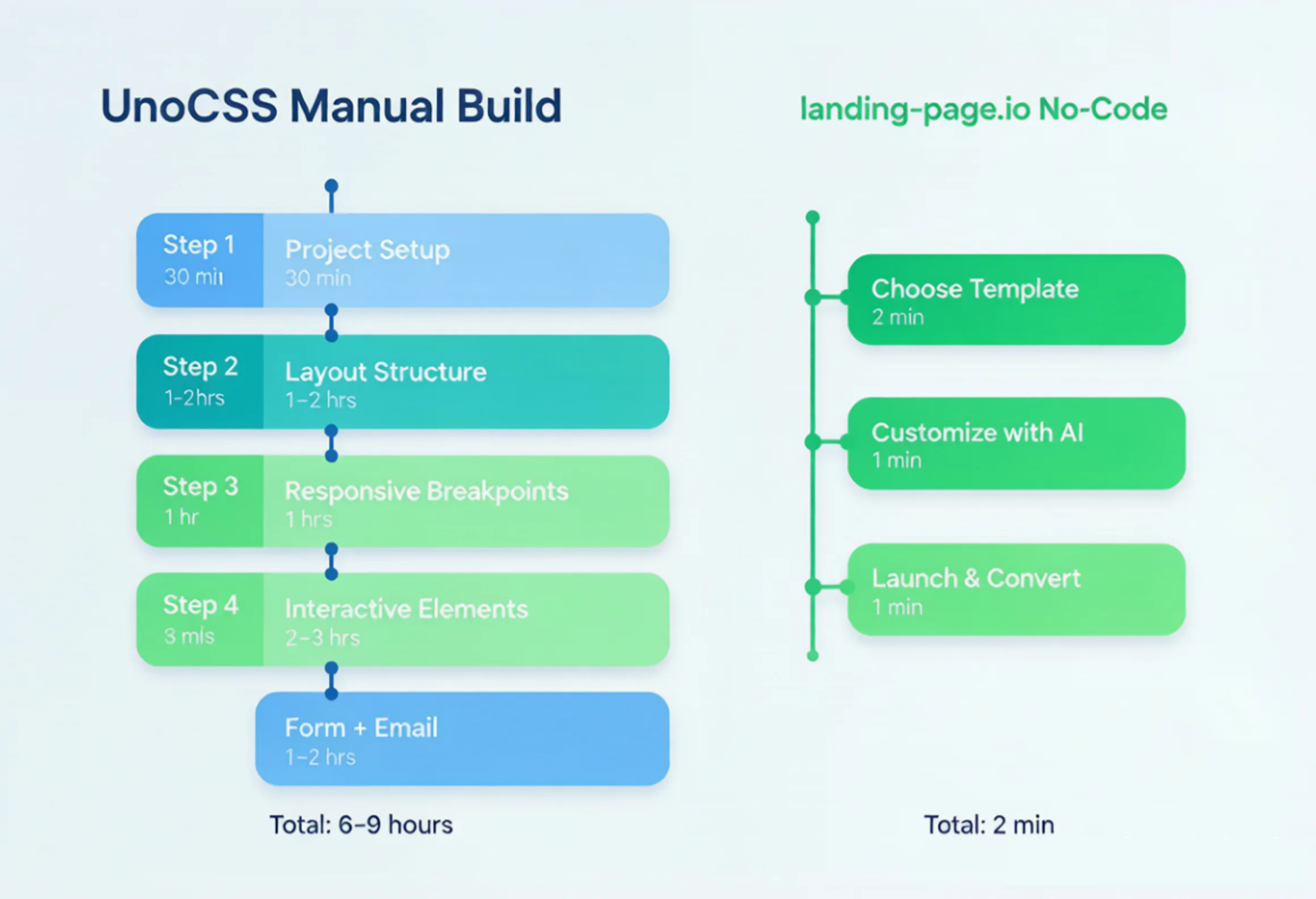
The manual UnoCSS workflow requires project setup, layout work, responsive breakpoints, interactive elements, and form or email infrastructure. By comparison, landing-page.io can take a page from idea to launch in a short, guided workflow.
What Is UnoCSS and Why Do Developers Love It?
UnoCSS is an instant, on-demand atomic CSS engine. Like other utility-first tools, it generates only the classes your project uses. You can write <div class="flex items-center p-4 text-xl font-bold"> instead of creating a separate CSS rule for every element.
For developers building component libraries, dashboards, or full web applications, UnoCSS is an excellent fit. It integrates with Vite, Webpack, PostCSS, VS Code, and ESLint. You can configure presets, define custom rules, and generate CSS at build time without shipping unused styles.
Building a Landing Page with UnoCSS: The Real Workflow
Here's what the process typically looks like when a developer creates a polished landing page with UnoCSS from scratch.
Step 1: Project Setup (30 Minutes)
Initialize a Vite project, install UnoCSS, configure uno.config.ts, add the required presets, and connect the Vite plugin. Common choices include a Tailwind-compatible preset and an icon preset.
Step 2: Layout Structure (1–2 Hours)
Write the HTML structure for the hero, feature grid, testimonials, pricing, and footer. Each section then needs its utility classes, such as bg-gray-900, max-w-7xl, or grid grid-cols-3 gap-6.
Step 3: Responsive Breakpoints (1 Hour)
Add sm: and lg: variants for mobile, tablet, and desktop layouts. Test across viewports, then adjust spacing, typography scales, and grid behavior.
Step 4: Interactive Elements (2–3 Hours)
Build the navigation toggle, smooth scrolling, form validation, and hover states. UnoCSS handles the styling, but you still need JavaScript or a framework for the behavior.
Step 5: Forms and Email Notifications (1–2 Hours)
Create a contact or signup form, then set up a backend endpoint—or integrate a third-party API—to process submissions and send email notifications. This is where many developer-built landing pages slow down: forms and email delivery are infrastructure problems, not CSS problems.
Total estimated time: 6–9 hours for a polished, responsive landing page, assuming you're already comfortable with the toolchain. A first-time UnoCSS user may need longer.
The result can be beautiful. The code is clean, and you control every pixel. But you may also spend a full workday building what is ultimately a conversion tool rather than an engineering product.
The No-Code Alternative: Landing-Page
Now consider the other path. Landing-Page is an AI-powered landing page builder designed specifically for conversion-focused pages. Page generation, form collection, email notifications, and publishing are available in one workflow.
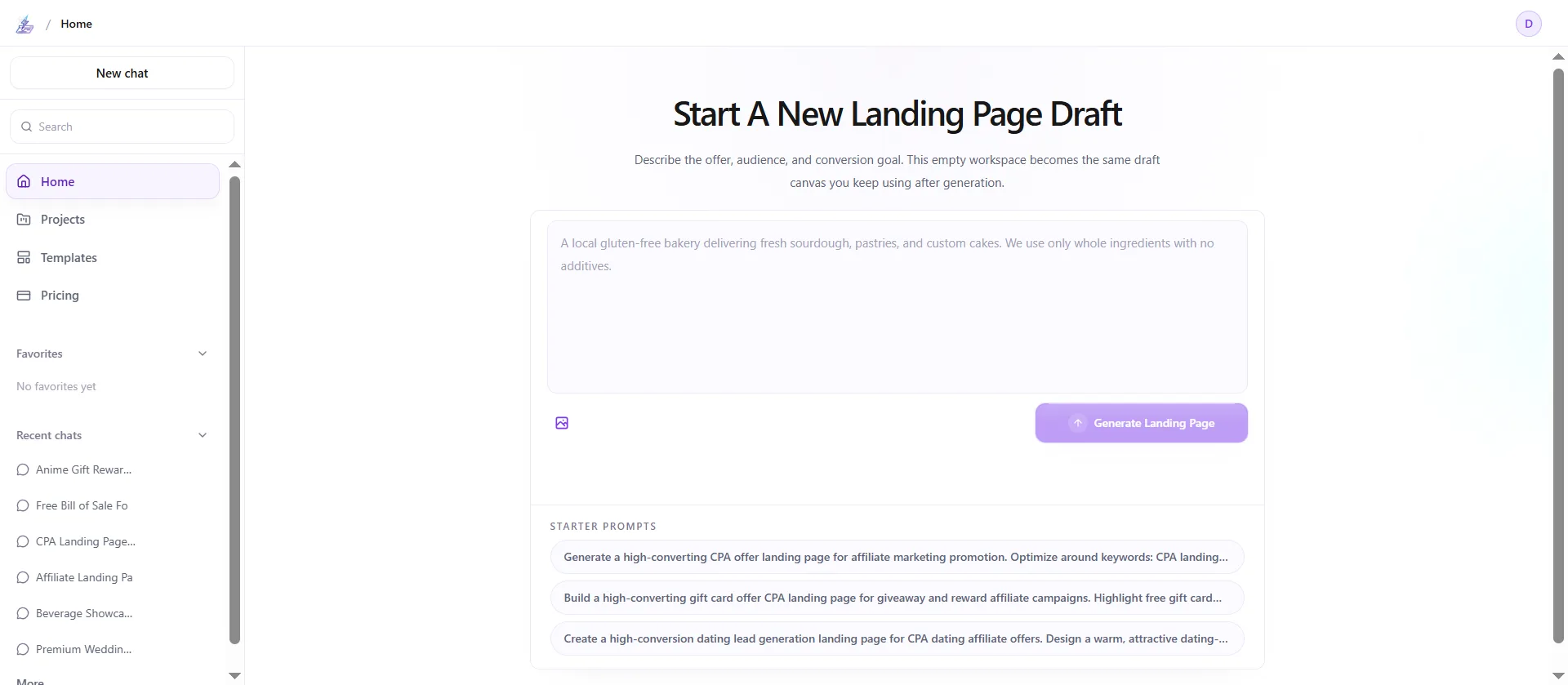
How It Works: 3 Steps in About 2 Minutes
| Step | What Happens | Estimated Time |
|---|---|---|
| 1. Choose a use case or describe your website | Start with a proven template or explain what you want to build. Available use cases include product launches, SaaS, events, lead magnets, e-commerce, healthcare, webinars, travel, recruiting, and AI tools. | 30 sec |
| 2. Customize with AI | Enter your product name, target audience, and key features. AI generates tailored headlines, body copy, section layouts, and CTAs. | 1 min |
| 3. Launch and convert | Publish the page, connect a custom domain, use built-in SEO tools, and receive email notifications when visitors submit a form. You can also download the source code. | 30 sec |
Built-In Features Developers Often Skip
| Feature | UnoCSS (Manual) | landing-page.io |
|---|---|---|
| Responsive design | Add and test sm: and lg: variants manually | Automatically optimized for common devices |
| Signup forms | Build the form and backend from scratch | Built-in form components |
| Email notifications | Configure SMTP or an email API | Automatic submission notifications |
| SEO optimization | Add metadata and social images manually | Built-in SEO tools |
| Source code access | You own the code you write | Downloadable HTML and CSS |
| Logo generation | Design or source a logo separately | AI logo generator available |
| A/B testing workflow | Build your own testing infrastructure | Swap and iterate on sections quickly |
| Time to launch | 6–9 hours | About 2 minutes |
Real Templates, Not Blank Canvases
Each use case on landing-page.io includes a section blueprint tailored to its conversion goal:
- SaaS landing page: Hero → Problem and solution → Feature grid → Pricing comparison → Social proof → CTA and signup form
- Product launch: Hero with countdown → Benefit blocks → Early-access signup → FAQ → Footer
- Event landing page: Hero → Agenda → Speakers → Venue or map → Registration form
- AI tool landing page: Value proposition → Live demo → How it works → Security badges → Trial signup
- Lead magnet: Hero → Content preview → Download form → Social proof
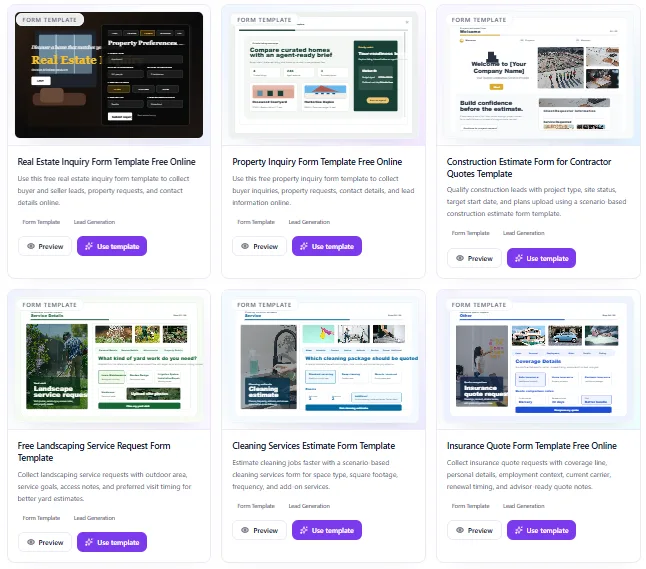
These aren't wireframes. They're designed pages with AI-generated copy that you can publish immediately or customize for your brand. Browse the available templates →
The Honest Comparison: When to Use Which
| Scenario | Best Approach | Why |
|---|---|---|
| You need a landing page for a SaaS launch this week | landing-page.io | Speed, built-in forms, and submission notifications |
| You're building a design system or component library | UnoCSS | CSS is part of the product infrastructure, not a one-time deliverable |
| You want pixel-perfect control over every animation | UnoCSS | Atomic CSS gives you granular implementation control |
| You need to capture leads and send email notifications | landing-page.io | Forms and notifications are built into the workflow |
| You're prototyping a full web app with many pages | UnoCSS | A reusable CSS system works well across many components |
| You want downloadable source code and no-code speed | landing-page.io | Generate quickly, then download the HTML and CSS |
The pattern is clear: UnoCSS wins when CSS is part of the product—design systems, multi-page applications, and component libraries. Landing-Page wins when the landing page itself is the product—launches, signups, lead capture, and conversion campaigns.
Many developers comparing these approaches are in the second group. They need a page that converts, not a new CSS architecture project.
Pricing Reality Check
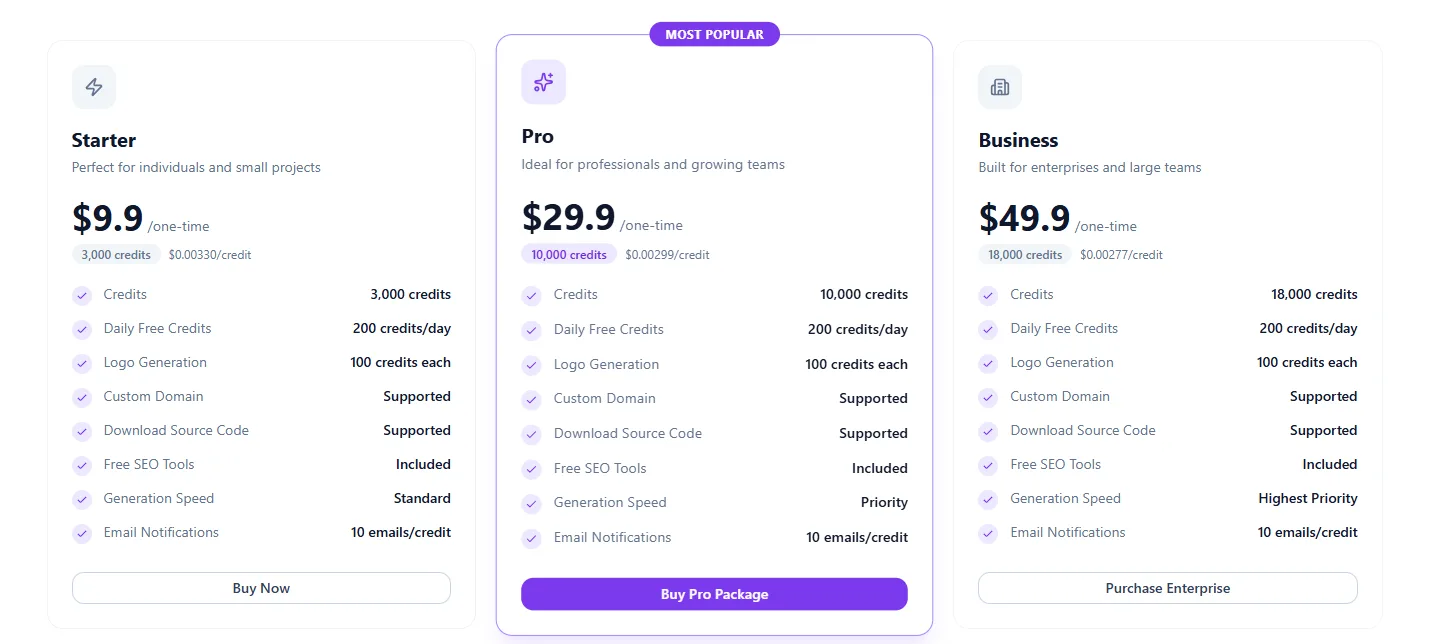
| Plan | Price | Credits | Approximate Cost per Credit |
|---|---|---|---|
| Starter | $9.90 one-time | 3,000 | $0.0033 |
| Pro | $29.90 one-time | 10,000 | $0.0030 |
| Business | $49.90 one-time | 18,000 | $0.0028 |
Users also receive 200 free credits each day. There is no required subscription: you can purchase credits once and use them when needed.
Compare that with 6–9 hours of developer time at a modest $50 per hour. A hand-coded UnoCSS landing page can represent $300–$450 in hidden labor cost before ongoing edits or campaign testing.
The Bottom Line
Creating a landing page with UnoCSS is an excellent exercise in front-end craftsmanship. You'll produce clean, performant code and learn atomic CSS deeply. But if your goal is to launch and convert—not to practice CSS architecture—the math doesn't favor hand-coding every part of the page.
landing-page.io gives developers what they need for a campaign: speed, working forms, submission notifications, and source code they can download. You still get the HTML and CSS output. You still control the final design. You simply skip much of the setup.
Try it free—no credit card required. Choose a SaaS landing page template, enter your product details, and see what AI generates in under two minutes. Then decide whether you want to spend the next workday writing utility classes or the next few minutes publishing a page that's ready to convert.
Ready to Create Your Landing Page?
Apply these insights and build high-converting landing pages in minutes with our AI-powered builder.